
Know what's in every tab
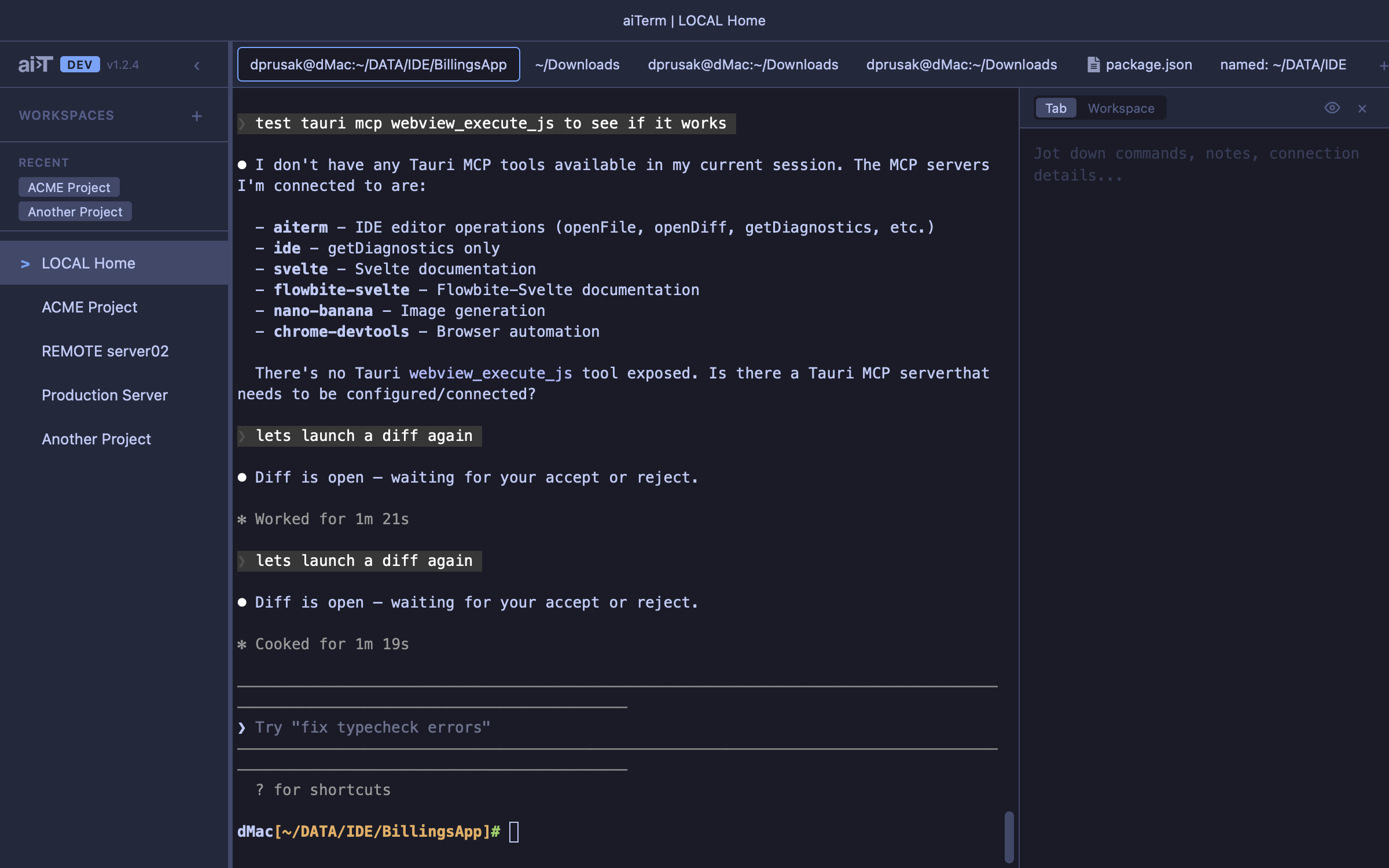
Interpolated tab names like CustomName %title combine your label with live terminal state. Name a tab “billing API” and always know what’s running in it — no more guessing across 15 identical “bash” tabs.

Other terminals give you tabs and splits. aiTerm gives you a system for managing the chaos of real AI-assisted development — where you’re juggling multiple Claude sessions across projects, SSHing into servers, and trying to remember what you were doing three hours ago.
Know what's in every tab
Interpolated tab names like CustomName %title combine your label with live terminal state. Name a tab “billing API” and always know what’s running in it — no more guessing across 15 identical “bash” tabs.
Restart without losing anything
Reboot your machine, restart aiTerm — every tab comes back exactly as it was. Scrollback, layout, SSH sessions, Claude Code sessions. No re-cding, no lost context, no “what was I doing?”
Workspace Organization
Group terminals by project. Each workspace has its own pane layout, tabs, and context. Switch between projects without losing your place.
Claude Code Integration
MCP server exposes IDE tools to Claude Code CLI — file operations, diff review, editor control. Auto-capture session IDs and auto-resume sessions.
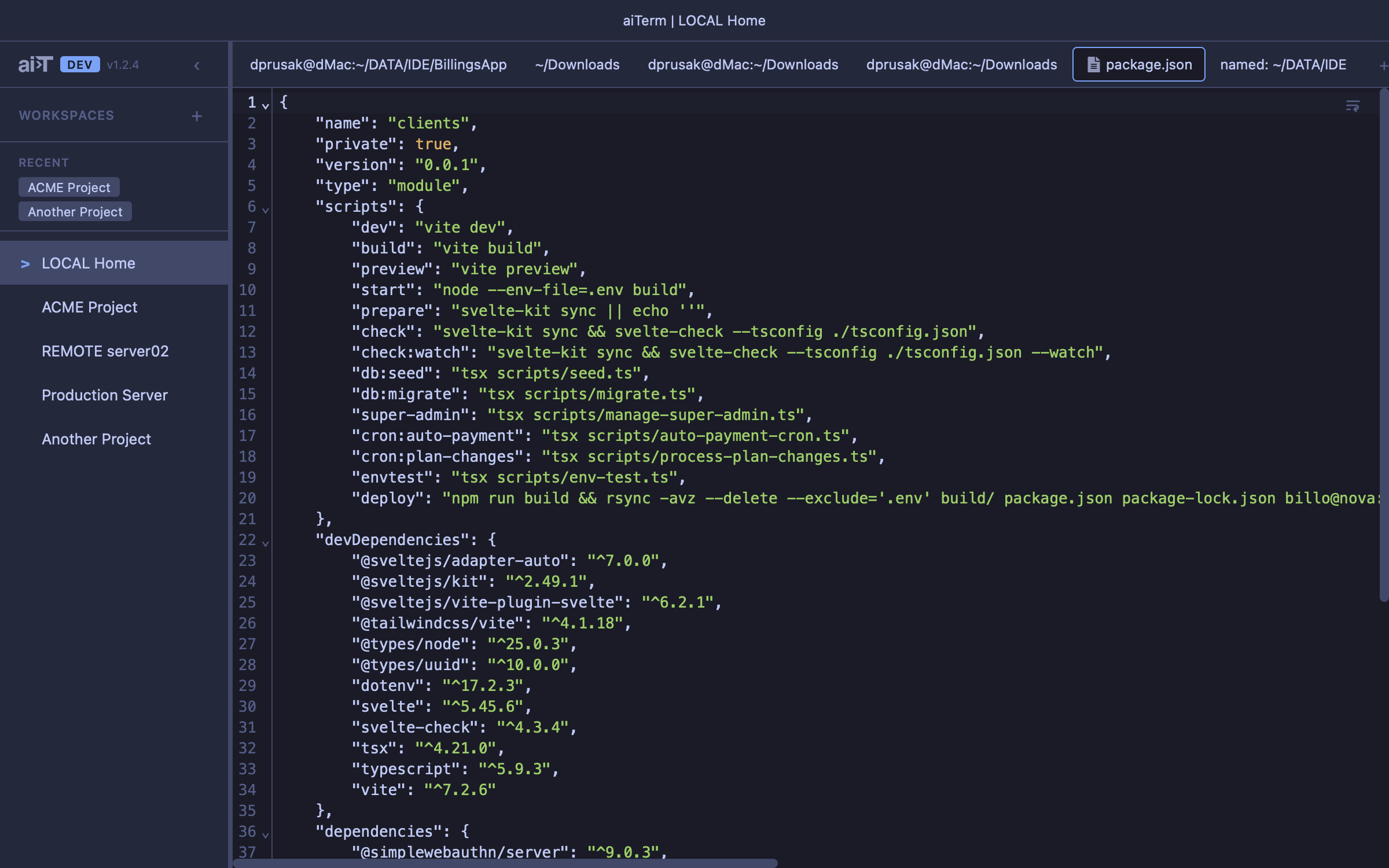
Built-in Editor
Click any file path in terminal output to open it in an editor tab. Works over SSH too — remote files load transparently via SCP. 50+ languages supported.
Smart Triggers
Regex triggers watch terminal output for patterns and fire actions — notifications, commands, variable capture. 6+ built-in Claude Code triggers included.
Archive and restore tabs
Set up auto-resume on a tab, then archive it. The tab disappears from your tab bar but preserves everything — scrollback, notes, triggers, resume command. When you need that task again, restore and pick up instantly.
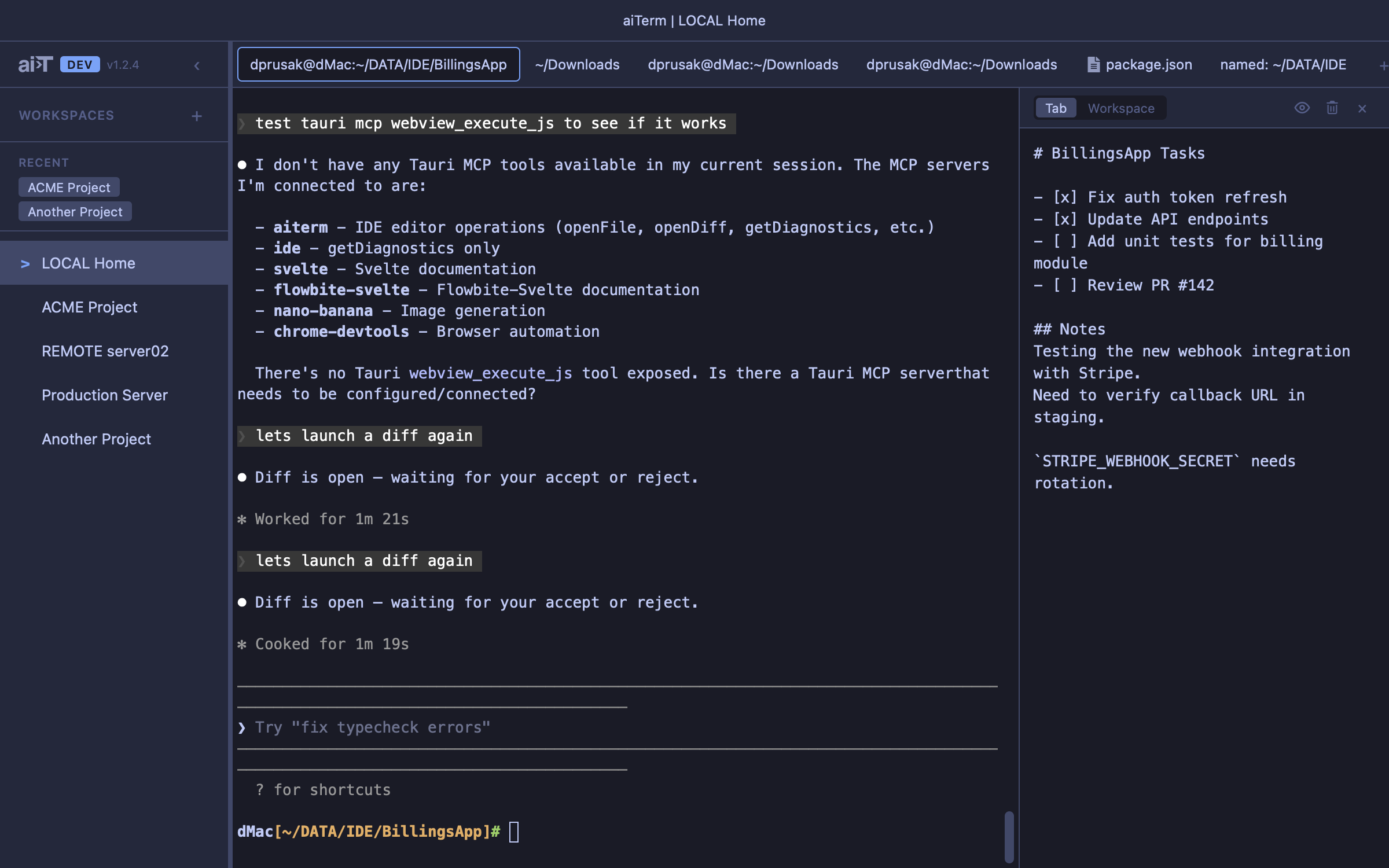
Notes on everything
Every tab has its own markdown notes panel — track TODOs, paste connection strings, jot down what you’re debugging. Workspace-level notes too. Your context travels with the tab, not a separate app.
Scrollback Persistence
Full terminal state survives restarts. Reboot your machine, restart aiTerm — everything comes back. Tab layout, workspace state, scrollback history.
Split Pane Cloning
Duplicate a tab and get everything: scrollback, CWD, SSH session, Claude resume command, notes, trigger variables. SSH sessions clone to the same remote CWD.
Built with Tauri 2 for native performance with a small footprint.
| Layer | Technology |
|---|---|
| Frontend | Svelte 5, SvelteKit, TypeScript |
| Backend | Rust, Tauri 2 |
| Terminal | xterm.js |
| Editor | CodeMirror 6 |
| PTY | portable-pty |